
@Injectable() : 디폴트값 싱글톤(new 하나)
@Injectable(scope:requst): 매 요청마다 new 로
@Injectable(scope: Transient) 매 주입마다 new
code first
graphql 패키지 설치
yarn add @nestjs/graphql @nestjs/apollo @apollo/server graphqlresolver 로 변경 컨트롤러가 없어짐
Query() 로 변경
import { Query, Resolver } from '@nestjs/graphql';
import { BoardsService } from './boards.sevice';

@Resolver()
export class BoardsResolver {
  constructor(private readonly boardsService: BoardsService) {}

  @Query(() => String, { nullable: true })
  fetch(): string {
    return this.boardsService.getHello();
  }
}모든 모듈들을 합쳐서 실행 시키는 app.module
import 에 합칠 모듈들을 import 시킴
자동으로 스키마를 생성하기 위해
graphql 도 연결하고
스키마 파일이 생성될 경로를 넣음
스키마 파일이 만들어지는 내용은 resolver 에서 만든 내용이 들어감
null 을허용하고 싶으면 리졸버에서 {nullable : true} 로 하면 Strimg 에 느낌표가 사라지면서 이 내용이 있어도되고
없어도 되게 만들어
import { Module } from '@nestjs/common';
import { BoardsModule } from './apis/boards/boards.module';
import { GraphQLModule } from '@nestjs/graphql';
import { ApolloDriver, ApolloDriverConfig } from '@nestjs/apollo';

@Module({
  imports: [
    BoardsModule,
    // ProductsModule,
    // UsersModule,
    GraphQLModule.forRoot<ApolloDriverConfig>({
      driver: ApolloDriver,
      autoSchemaFile: 'src/common/graphql/schema.gql',
    }),
  ],
})
export class AppModule {}리졸버
import { Query, Resolver } from '@nestjs/graphql';
import { BoardsService } from './boards.sevice';

@Resolver()
export class BoardsResolver {
  constructor(private readonly boardsService: BoardsService) {}

  @Query(() => String, { nullable: true })
  fetch(): string {
    return this.boardsService.getHello();
  }
}만들어진 스키마 파일
# ------------------------------------------------------
# THIS FILE WAS AUTOMATICALLY GENERATED (DO NOT MODIFY)
# ------------------------------------------------------

type Query {
  fetch: String
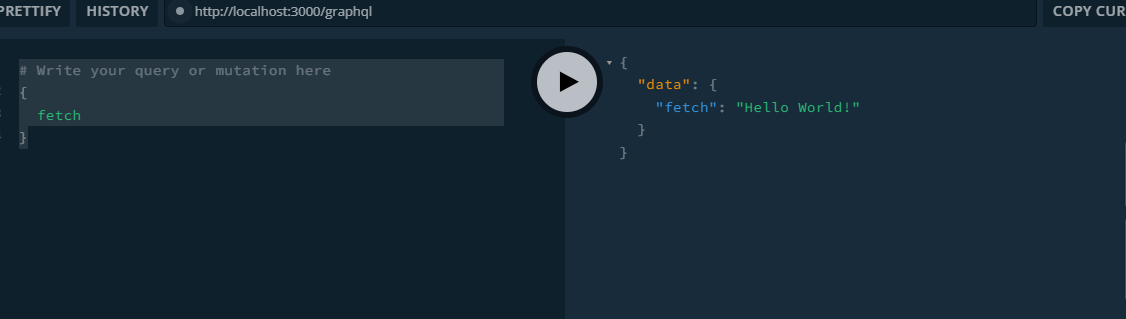
}스키마 실행
'NEST.js' 카테고리의 다른 글
| NEST API 만들기 (0) | 2023.09.30 |
|---|---|
| NEST Typescript 심화 타입 ( Utility, Generic) (0) | 2023.09.29 |
| NEST API구조 (0) | 2023.09.29 |
| NEST eslint / prittier (0) | 2023.09.28 |
| NEST 보일러플레이트 (0) | 2023.09.28 |
